
TL;DR - I let Claude Cowork:
Create a meal prep from YouTube recipes and do online grocery shopping for me
Create a daily morning podcast briefing from newsletters I’m subscribed to
Generate and edit videos
Render designs for a 3D printer
In the previous post, I explained what Claude Cowork is and who will find it useful. This week, I gave it a proper test run.
Not on the obvious stuff - organizing folders, sorting invoices, summarizing documents, the demos everyone’s already seen. We know already Cowork handles those well. But Cowork is positioned as “Claude Code for non-technical users” and I wanted to know: can it actually make my life easier the way Claude Code does?

When I test new tools, there are usually three layers to it.
First layer: quick setup, a couple of prompts, see what it actually does. This is the “oh, this is cool” or “this is just flashy” filter. And most “dopamine hit” tools usually stop here - image generator wrappers, voice clones, AI avatars etc.
Second layer: stress test with edge cases. Does it break in predictable ways? Does it handle the messy, real-world versions of tasks? Like a famous pelican riding a bicycle test for image generation.
Third layer - and this is where it gets interesting: can I turn this into a working system that actually simplifies my routines? This takes real time investment with different integrations and actual architecture. I’ll only go there if the math clearly works out - meaning it pays off in time currency later - or if I’m genuinely excited about the technology. Otherwise, where’s the fun in it?
So the goal I set for myself: push Cowork beyond the obvious and see which layer it lands in.
My honest first impressions:
I kept wanting to switch to Claude Code. The limited connectors and no network access got frustrating.
Claude Cowork is early-stage. But it surprised me in a few scenarios.
Claude Cowork for Grocery Shopping: From YouTube Recipe to Cart
I have two priorities that are constantly fighting each other: eat healthy, and spend approximately zero hours on grocery shopping and meal planning.
I follow a nutritionist on YouTube who posts meal prep videos I like. But every week it's the same drill: watch the video, pause constantly to scribble down ingredients, build a shopping list, realize I forgot quantities, re-watch sections, then spend another 30 minutes hunting for items online. By the time I'm done, I've lost an hour I'll never get back. So I wondered: what if I just... didn't do any of that?
So I gave Claude a challenge: extract the recipes from a YouTube video, aggregate a full shopping list, match ingredients with brands I actually buy (based on past invoices), add everything to my grocery cart, and create a Notion page with the recipes so I don’t need to re-watch the video every time I cook.
What is needed
Claude in Chrome extension (built into Cowork)
A grocery delivery website that doesn’t block bots - mine used to, but apparently they’ve realized the potential of AI agents driving traffic
(optional) Local folder with invoies from your past groceries orders
Notion connector (or Google Docs or anything else you prefer to save the recipes)
Prompt I gave Cowork
I want to do the meal prep for the week from the following video: [LINK].
I need you to:
1. Extract the recipes and ingredients from the video
2. Create a shopping list based on the extracted ingredients
3. Scan through my previous groceries invoices from [YOUR FOLDER] to find matches for the products on the shopping list you just created.
4. Go to [YOUR ONLINE GROCERIES STORE] and add all ingredients to the shopping cart. DO NOT start checkout process.
5. If a product is not available, check for the closest alternative and show me options for approval.
6. Create a new private page in Notion with the meal plan for the week and recipe for each meal including the list of ingredients.
What happened
It executed surprisingly well. Cowork used the Chrome extension to navigate to YouTube, extracted information from the video, and built the shopping list.
The shopping part impressed me most. Cowork navigated to the grocery website and worked through each item. Since it matched the items from the list with actual brands I bought before, if my past invoice said “Oatly Barista Edition 1000ml,” it searched for that specifically instead of just grabbing the first oat milk result. When a specific product wasn’t available, it offered alternatives for me to chose from in the chat formatted in nice sleek buttons. When searches returned nothing - because invoice names can be weird - it rewrote the search queries.
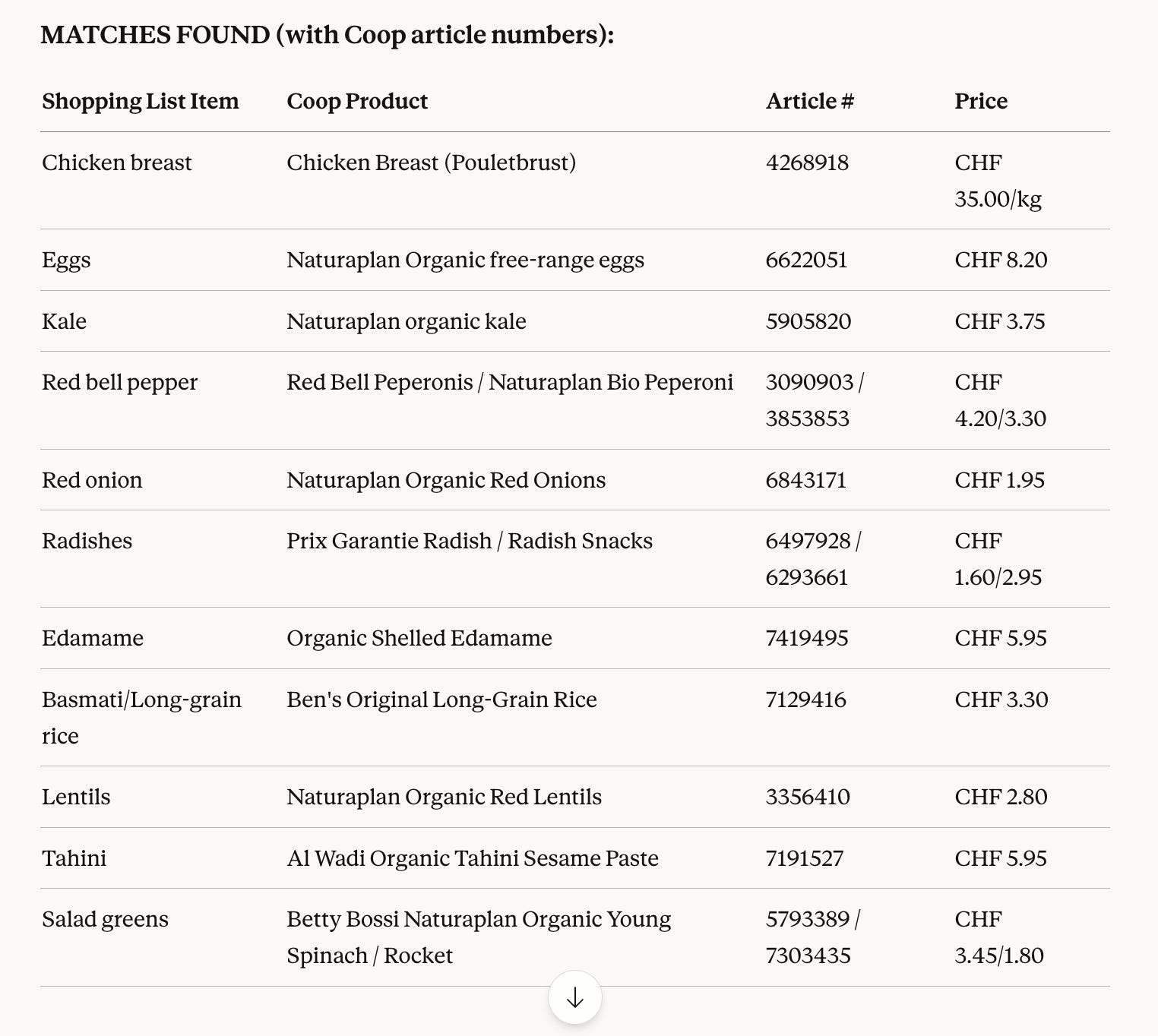
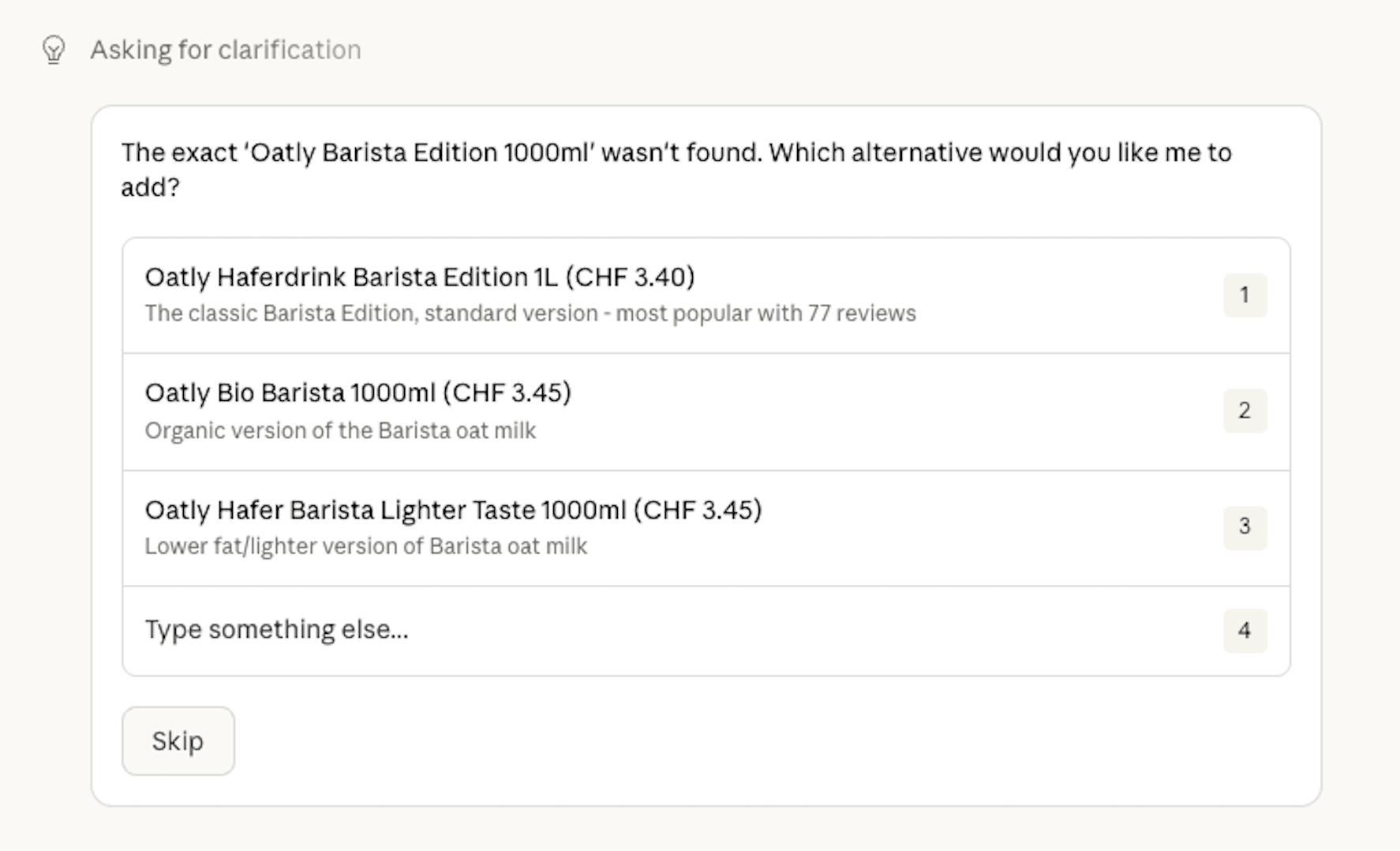
The process was slow but it added all items to the cart. At the end, it created a Notion page with all the recipes for easy reference.
The verdict
This one’s going into my routine. A few caveats to watch for though:
The Chrome extension is slow and burns through your Claude usage limit fast. Claude in Chrome does have
read_pagewhich returns the DOM accessibility tree, but I saw it still taking a lot of screenshots. I'll test if Chrome DevTools MCP is more efficient when I build this out.Cowork struggles with quantities for items sold by weight - meat, fruits, vegetables. Your prompt needs to be very specific about how to calculate amounts.
But for a flow that usually takes me 45+ minutes of video-watching, list-making, and cart-filling? Worth it.
Claude Cowork for Daily Briefings: Newsletters to Podcast
I’m sure many can relate to this one.
I’m subscribed to way too many newsletters - AI, finance, health, self-development, productivity. In most cases, you will have them land in your inbox, I automatically forward them to Readwise, a service where you can save content in different formats: newsletters, videos, book highlights.
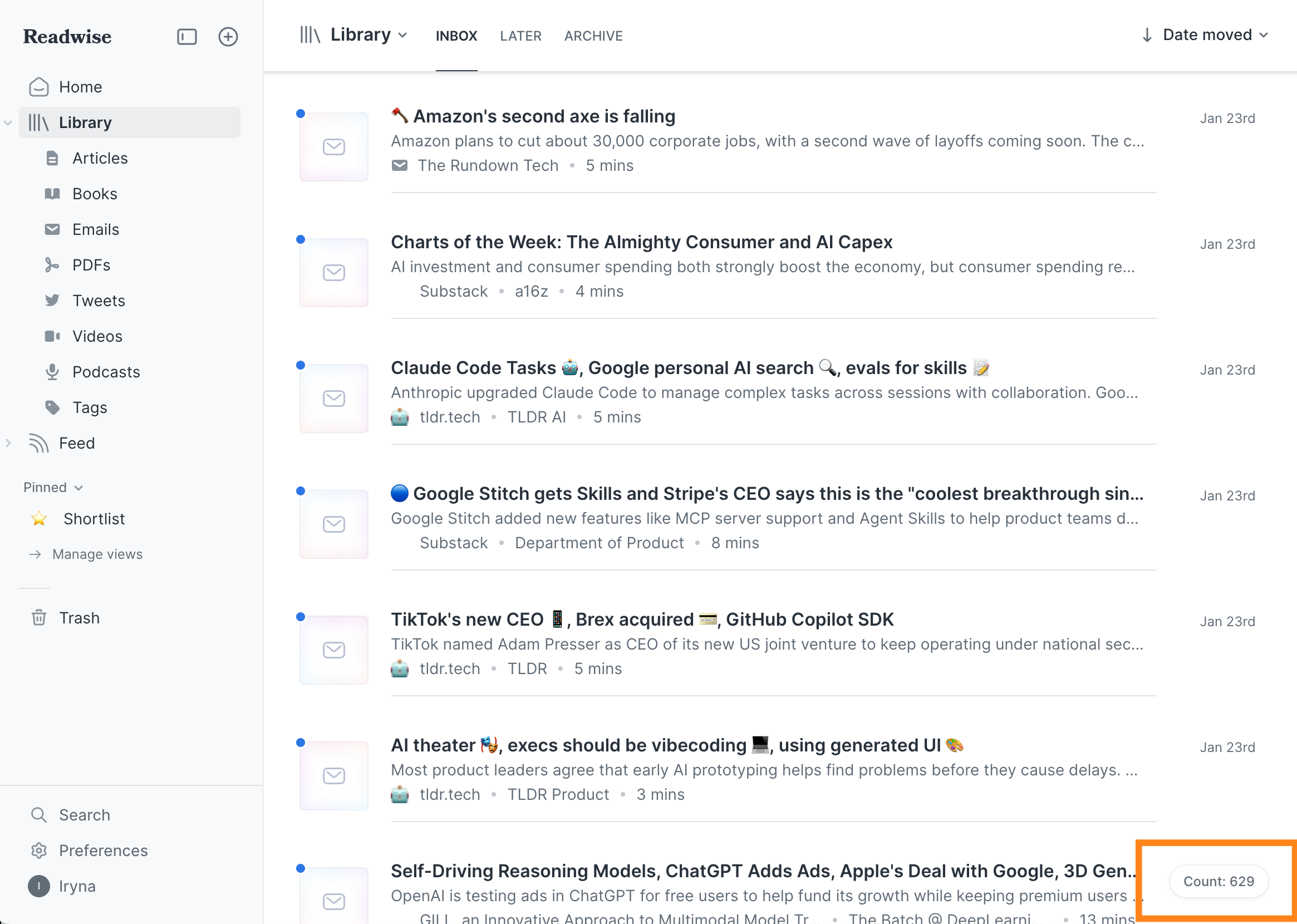
The problem is that I don’t actually read all of this. I tried dedicating an hour each morning and failed remarkably after a few days. Life happens and you always end up needing that one hour for something else.
So my idea was this: have Cowork extract newsletters from day before from Readwise, summarize them into a short briefing, and create a 3-minute podcast I can listen to in the morning. If something sparks my interest, I go to Readwise and read the full piece.
What is needed
Gmail connector if your newsletters go there (currently still in development for Cowork)
Workaround: an automation tool to bridge the gap. I used n8n, which I run as an MCP server to connect to the Readwise API and return the data Cowork needs. All this because Cowork can’t connect to the network to call APIs directly - but it can talk to n8n MCP server.
Prompt I gave Cowork
Create a daily news briefing podcast from my Readwise inbox. Fetch yesterday's articles using the n8n Readwise workflow, create a Word document briefing with executive summary and key headlines, then generate a ~2-3 minute solo host podcast as MP3.What happened
I have mixed feelings on this one.
The n8n workaround was a lifesaver - a simple workflow returned full newsletter content back to Cowork without issues. Cowork then created a 2 pages briefing document, with an executive summary I didn’t ask for but appreciated.

The narration is where it went sideways. Since Cowork can’t connect to the network, it can’t access any of the good text-to-speech models. After trying and failing, it settled for Flite - a tiny local TTS library.
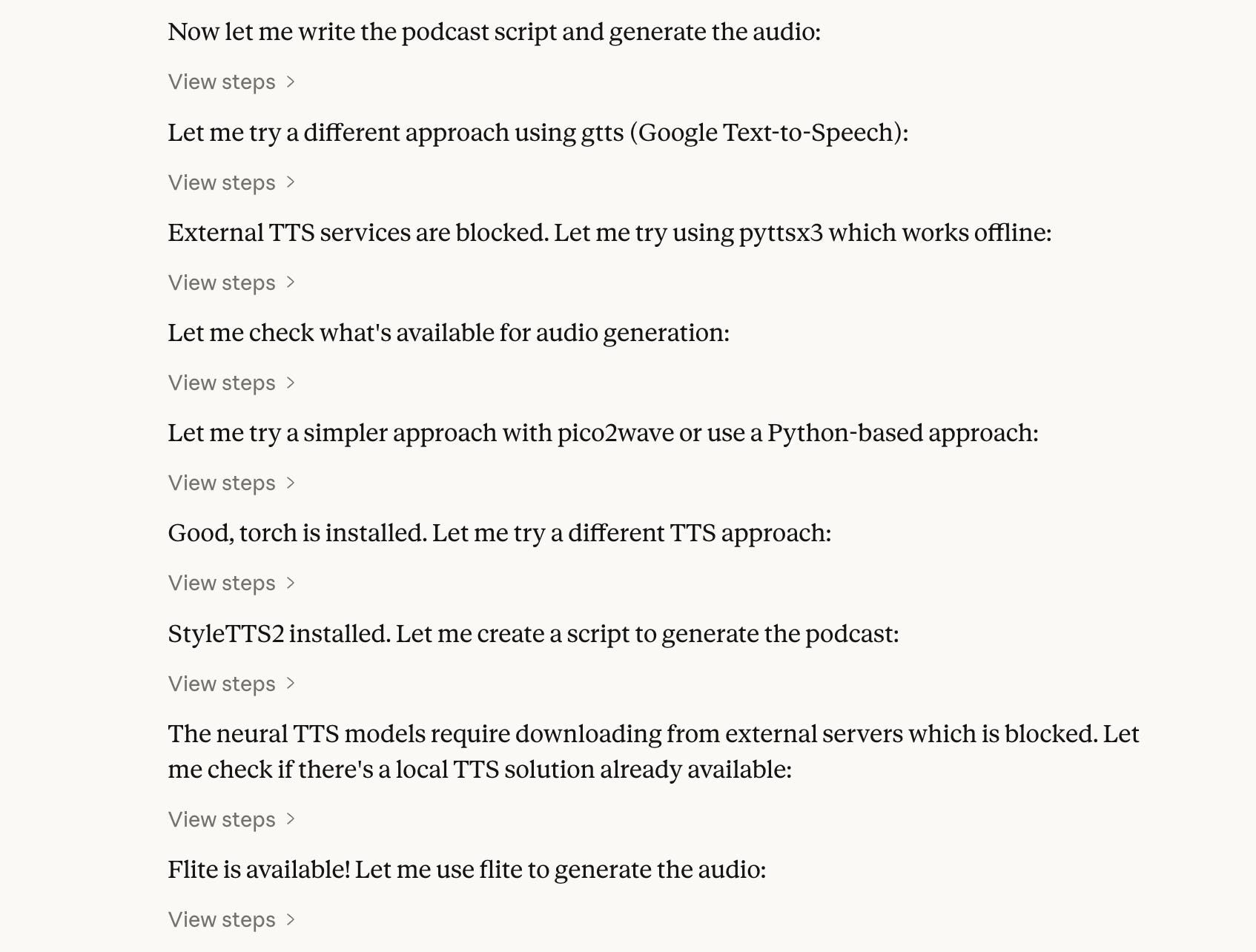
The result was... rough, robotic and hilarious :) Not something I’d actually want to listen to.
But Cowork did execute on the plan and found a way. Points for persistence but not for quality. There will be creative ways to use middleware or build a custom MCP server, but it can be done so much easier with Claude Code without adding this complexity.
The verdict
I’m glad Cowork made me think seriously about this use case - I genuinely want a daily audio briefing in my life now. But I’ll implement it with Claude Code instead. It can access the Readwise API directly, generate better quality audio with a proper TTS model like ElevenLabs or OpenAI TTS, AND create a calendar reminder each morning with a link to my 3-minute briefing to make it actionable for me.
Not possible with Cowork yet. Maybe soon.
Claude Cowork for Video: Generation and Editing
Next, I wanted to see how Cowork handles video. I used a Remotion skill for Claude - Remotion is a framework that lets you create videos programmatically using React. Instead of dragging clips around in a timeline, you write code that defines animations, transitions, text overlays, and timing. Claude can generate this code, which then renders into actual video.
For the first test, I asked Cowork to generate a high-level explainer video about Claude Code - starting from nothing.
For the second test, I made it harder. I took a pitch video I recorded as a submission for an AI Product Management training I recently took with a Product Leader from OpenAI. Four minutes long, cohesive story, audio, multiple scene transitions. I asked Cowork to cut three short clips from it.
What is needed
Remotion skill installed for Claude
Prompt I gave Cowork
Video generation:
Use Remotion skill to create a video about Claude Cowork and its capabilities. Save the video to the folder remotion_videosVideo editing (spoiler → way too ambitious):
Attached is a video that I need to process. Here's what I need you to do:
## Step 1: Transcription
- Transcribe the video file and create an SRT file with timestamps
- Save the transcript as both a .txt file (plain text) and .srt file (with timestamps)
## Step 2: Identify Key Messages
- Analyze the transcript and identify the 3 most compelling/important key messages
- For each key message, provide:
  - A short title (2-5 words)
  - The timestamp range (start and end time)
  - A 1-sentence summary of why this is a key message
- Present these to me for approval before creating clips
## Step 3: Create Short Clips
- Once I approve the key messages, use FFmpeg to extract 3 separate video clips
- Each clip should include ~3-5 seconds of padding before and after the key message
- Name each clip descriptively based on its key message title
## Step 4: Add Subtitles to Clips
- For each clip, create a corresponding .srt subtitle file with just the relevant portion of the transcript
- Use FFmpeg to burn the subtitles directly into each clip (hardcoded subtitles)
- Style the subtitles with:
  - White text with black outline for readability
  - Positioned at the bottom center
  - Reasonable font size for social media viewing
## Output
Organize all outputs in a subfolder called "processed":
- Full transcript (.txt and .srt)
- 3 short clips with burned-in subtitles
- Summary document listing the 3 key messages with their timestamps
What happened
Video generation: I deliberately gave minimal information to see how Cowork would handle it. It did pretty well. Generated a simple explainer video about Claude Code using the model’s general knowledge - no mistakes, no typos, content made sense. With more specific prompting, I think this could be a decent tool for simple videos. Not comparable to NotebookLM’s polish, but it gives you way more flexibility over branding, content, length and pretty much anything since it’s done programmatically.
Video editing: When you ask a tool to cut shorts from a longer video, you’d expect it to transcribe first, identify the interesting segments, then cut between natural breaks. This didn’t go well. Cowork couldn’t transcribe as I hit the same wall again - no network connectivity to access Whisper or other speech-to-text models. It asked me for alternatives and offered a few options, but didn’t deliver on them - the clips were identified using FFmpeg scene detection and ended up cutting mid-word and ignoring scene changes entirely.
The verdict
I’ll explore Remotion more - at first sight, it seems like a flexible alternative to NotebookLM for video generation, but needs testing.
For editing, Claude Code will have access to the same libraries plus speech-to-text models, so I’ll test there. But honestly, this isn’t a use case I’m rushing to build out compared to the first two.
Claude Cowork for 3D Design: An Unexpected Experiment
Ok, this one won’t become mainstream, but I found it an interesting stress test. We have a 3D printer at home, and I wanted to see if Cowork could render usable 3D designs in a format the printer accepts.
I started ambitious - a decorative vase with an intricate shell pattern. Then I lowered my expectations to a simple no-lid organizer box...
This use case might also be relevant for architects, interior designers, or anyone with a VR headset looking to prototype spaces.
What is needed
A 3D printer (or just curiosity about what’s possible)
Prompt I gave Cowork
Shell vase:
Create a 3D printable scallop shell vase like the reference image I'm providing.

DESIGN REQUIREMENTS:
- Decorative shell/fan shape with radial ribs emanating from a central base point
- Hollow interior to function as a vase or planter
- Scalloped curved edge at the top opening
- Ribs should have a smooth, rounded profile (not sharp edges)
- The shell should have a slight 3D curvature (not flat) - like a real scallop shell
- Needs to stand upright on a flat surface without tipping

BEFORE YOU START MODELING, ask me clarifying questions about:
1. Overall dimensions (height, width, depth)
2. Wall thickness (for structural integrity when printed)
3. Number of ribs/ridges
4. Whether I want a flat base or integrated drainage hole
5. Any other parameters that would affect printability

TECHNICAL REQUIREMENTS:
- Generate using OpenSCAD or Python (numpy-stl, trimesh, or cadquery)
- Output as .STL file (compatible with Bambu Studio)
- Ensure the model is watertight/manifold (no holes in mesh)
- Orient for optimal printing (minimal supports needed)
- Target polygon count that balances detail with file size

Save all files to the Downloads folder, including:
1. The final .STL file
2. The source code (.scad or .py) so I can modify parameters later
3. A brief README with recommended print settings (layer height, infill, supports y/n)
Organizer box:
Create a 3D printable open box (no lid) with the following dimensions:
- Length: 100mm
- Width: 50mm
- Height: 70mm
BEFORE YOU START MODELING, ask me clarifying questions about:
1. Wall thickness (typically 1.5-3mm for FDM printing)
2. Base/bottom thickness
3. Should corners be sharp or have a small radius/fillet?
4. Do I want any features like finger notches, label slots, or mounting holes?
TECHNICAL REQUIREMENTS:
- Generate using OpenSCAD or Python (numpy-stl, trimesh, or cadquery)
- Output as .STL file (compatible with Bambu Studio)
- Ensure the model is watertight/manifold (no holes in mesh)
- Orient with the open side facing up (print without supports)
Save all files to this folder:
1. The final .STL file named "open_box_100x50x70.stl"
2. The source code (.scad or .py) with parametric variables so I can easily modify dimensions later
3. A brief README with recommended Bambu print settings (layer height, infill percentage, material suggestions)
What happened
First attempt - the vase: Too ambitious. Cowork couldn’t handle the complexity, as you can see below. Maybe someone with actual 3D design experience could prompt their way to better results, but I hit a wall.


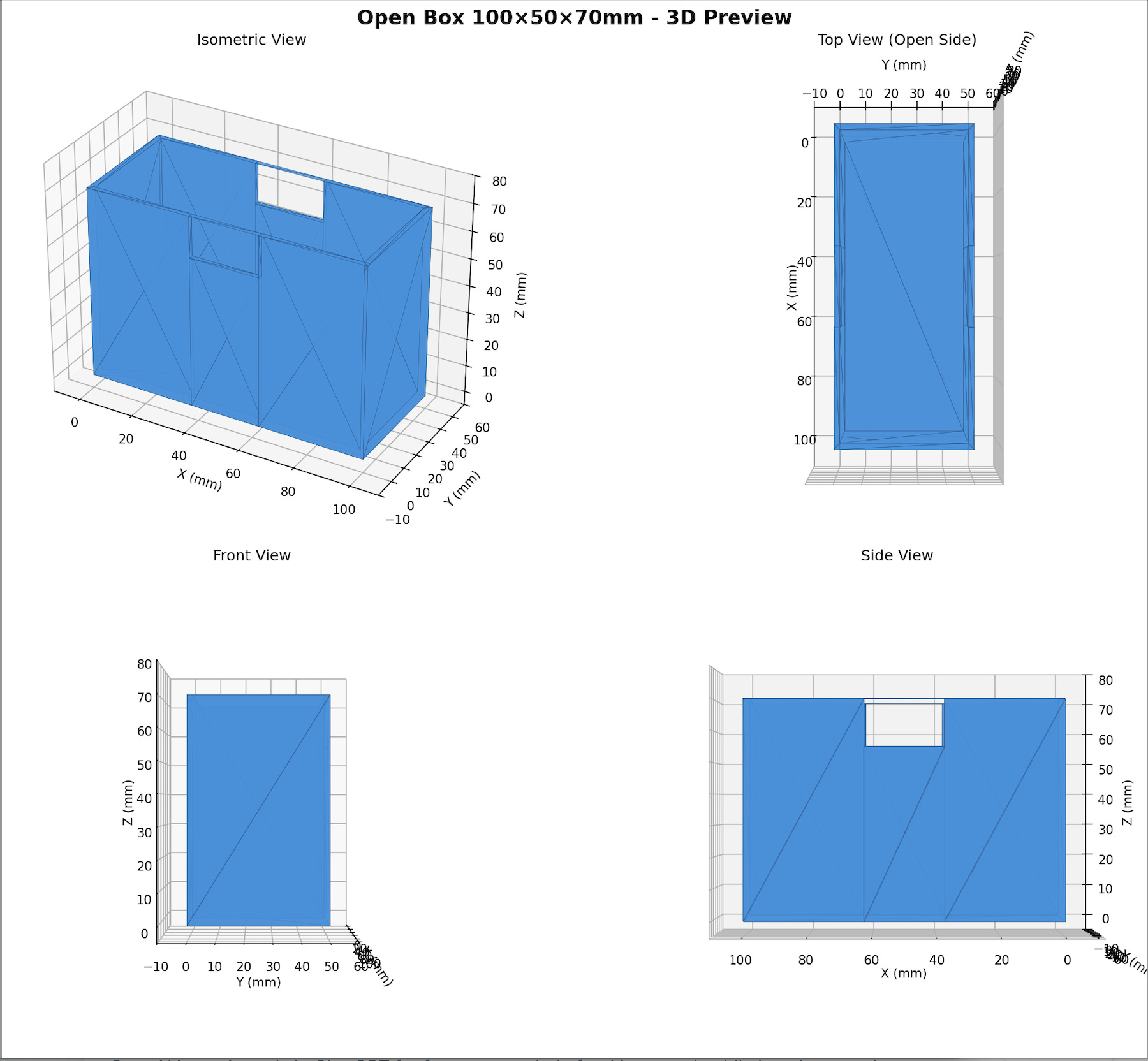
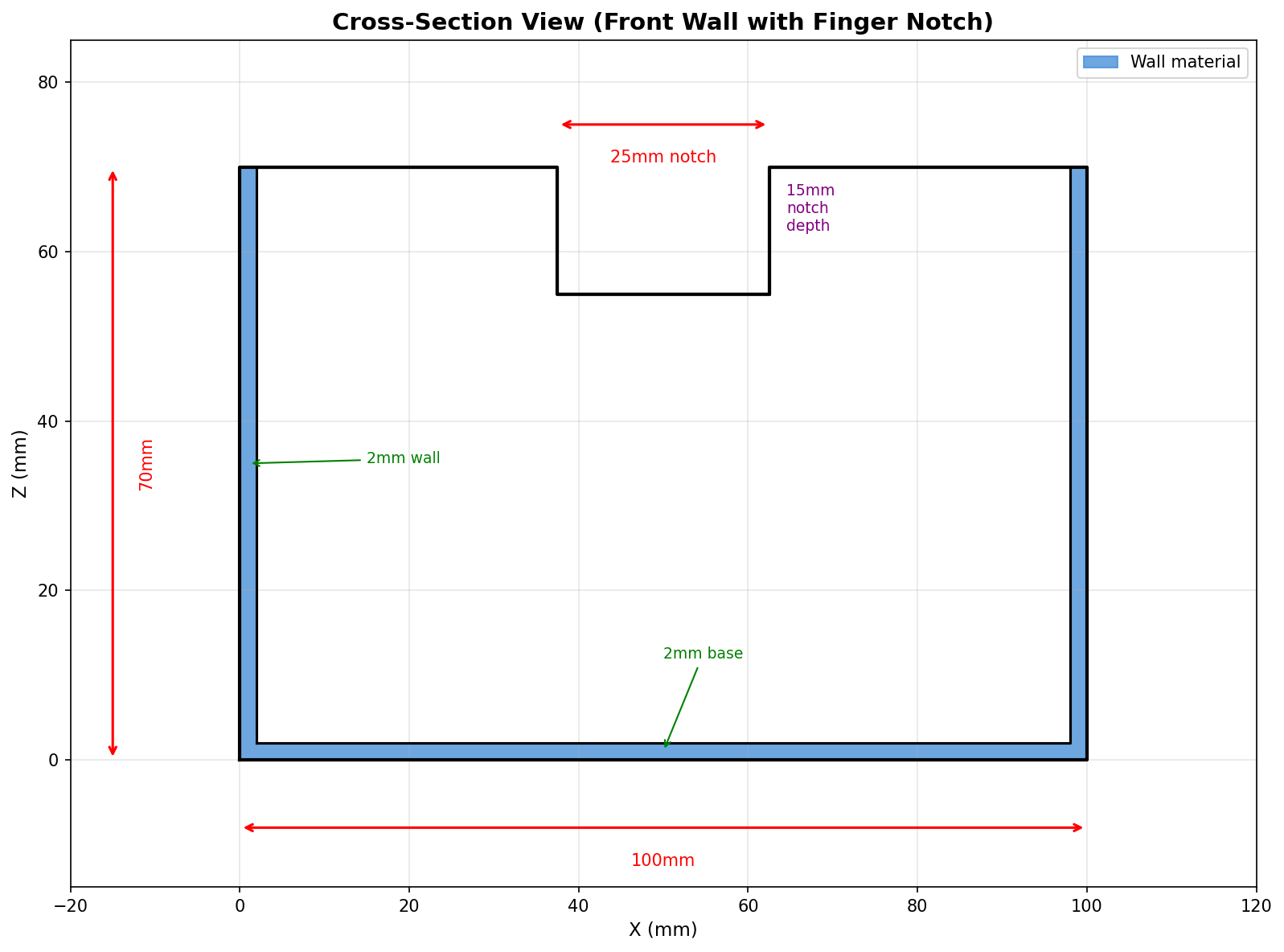
Second attempt - organizer box: This one turned out better. The goal wasn’t to create a perfectly ergonomic box - I just wanted to see how Claude handles 3D design and rendering. It followed all instructions and produced a workable first version. The finger notches it suggested adding didn’t end up being very usable, but the core structure was fine.

The verdict
The final render looks reasonable given my basic prompting. If you work with 3D design professionally and can guide the execution better than I did, this might be worth exploring.
For me? Fun experiment, not a routine I’ll build around.
The bottom line
So where does Claude Cowork land in my three-layer testing framework on these non-standard use cases?
Solidly in layer two - impressive in some scenarios, breaks in predictable ways in others. The grocery workflow genuinely surprised me and is going straight into my routine. The newsletter briefing made me realize what I actually want, even if Cowork couldn’t fully deliver it. Video generation shows promise. 3D rendering was a fun detour.
For executing tasks locally on your computer, organizing folders, creating files, Claude Cowork is a perfect fit.
For a bit more creative use cases that have more impact, at least in my case, the pattern is for now: Cowork’s ceiling is its network isolation and limited connectors. When it can operate locally or through available integrations, it executes well. The moment it needs to call an external API or tap into a cloud model - transcription, text-to-speech, anything requiring real-time data - it hits a wall.
I understand why the isolation exists. It’s how Anthropic keeps Cowork safe while it interacts with your actual files. And for simple tasks, it’s great - it cleaned up 862 files in my Downloads folder in under a minute. But if we’re thinking of Cowork as “Claude Code for non-techies,” there’s still a significant gap between what each can do.
My honest take:
If you’re already comfortable with Claude Code, Cowork will feel limiting. You’ll keep wanting to switch.
If you’ve never touched a terminal, Cowork is the first real opportunity to experience what agentic AI can do with your actual files and workflows.
What Cowork is currently missing is more connectors, safe network access, and better integrations. And I expect they will improve very fast.
If you try any of these, let me know how it goes. I’m curious what edge cases you’ll find that I didn’t.
Amazing !!!
Thank you for this work.
I'll try the shopping list.